


Chase Mobile
4.8644.20K Reviews
App Specs
- Version
- 4.762
- Updated On
- License
- Free
- Downloads
- 50,000,000+
- Developer
- JPMorgan Chase
- Categories
- Finance
- Platform
- Android, iOS
Screenshots
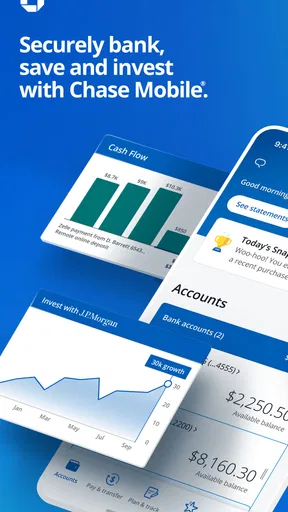
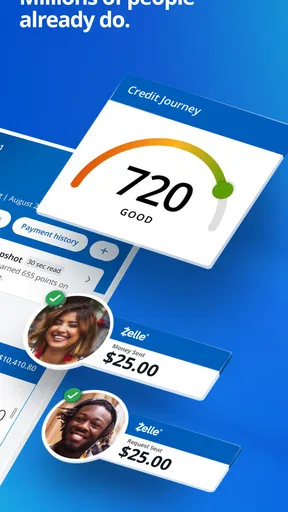
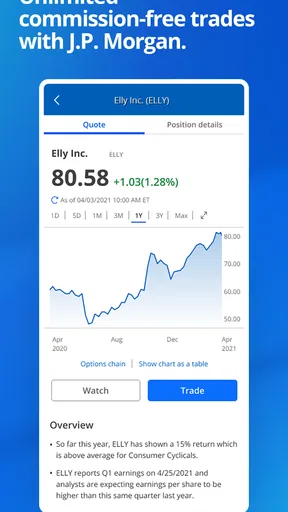
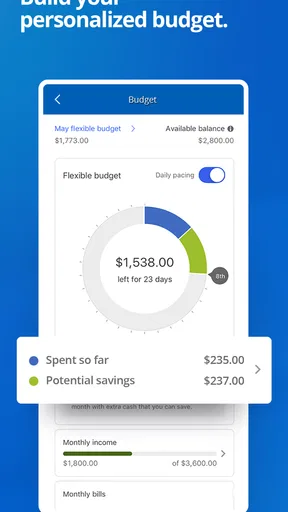
 Analysis by AppCompare
I judge a banking app less by how many buttons it has than by whether it helps me make a sensible decision quickly. Chase Mobile is most useful when I treat it as the day-to-day control panel for a Chase relationship: check what cleared, take care of a routine payment, and notice anything that needs attention. It is a free finance app from JPMorgan Chase, and its long track record—released in 2010—makes it feel like an established service rather than a newcomer. Its 4.7 average from around 1.9 million ratings and more than 50 million installs suggest many customers rely on it, though popularity alone cannot tell you whether it fits your banking needs.
A practical routine, not a substitute for planning
My baseline workflow is simple: open the app, review balances and recent activity, then handle one task before closing it. That order matters. Looking at the account activity before moving money or paying a bill can help me catch a purchase I forgot about or avoid acting on an outdated mental picture of my balance. I would not treat the displayed balance as a complete budget, but it is a convenient check-in when I am away from a computer.
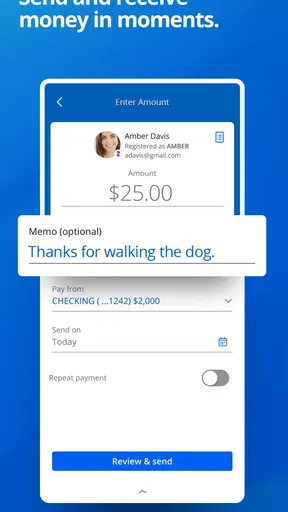
For example, if I am waiting in line and remember that a bill is due, I can check the relevant account and deal with the payment there rather than leaving it until I get home. If a friend needs to be paid back, the Zelle integration can make that task straightforward. My practical advice is to pause on the recipient and amount before confirming; convenience is most useful when it does not encourage rushed mistakes. For larger or unfamiliar transactions, I prefer to sit down and review the details carefully.
Settings that make everyday use more deliberate
Alerts are worth setting up with intention. A low-balance notification can be useful if I want an early nudge, while alerts for large transactions can help me spot activity that deserves a closer look. I would choose the alerts that answer a real question for me rather than enable every possible notification. Too many interruptions are easy to ignore, which defeats the point of having a timely warning.
I also recommend checking the sign-in options on your own device. The app supports fingerprint and facial recognition, which can make repeat access less cumbersome while adding a convenient layer to the sign-in routine. I still keep my phone locked and avoid approving anything when I am distracted. Biometric access makes opening the app easier; it does not remove the need to protect the device itself or review transactions with care.
Shortcuts that save effort without encouraging haste
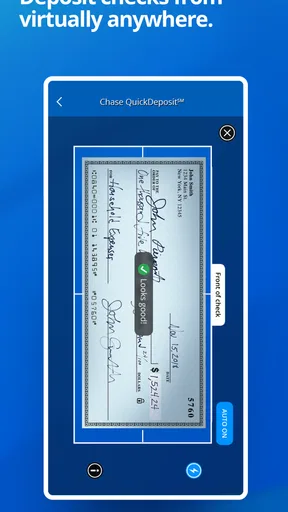
QuickDeposit is a particularly useful example of a task that suits a phone: photographing a check instead of arranging a separate visit. I would use it when I have a clear, well-lit place to capture the images, and take a moment to make sure the check is framed properly before submitting. That small bit of care is more worthwhile than trying to rush through the process while walking or juggling other errands.
For recurring financial chores, a repeatable sequence is more valuable than tapping quickly. I like to check the account, complete the payment or transfer, and then review the activity afterward. That final glance gives me a chance to notice whether I chose the intended account and whether the transaction appears as expected. The app’s transaction history is handy for this follow-through, although I would use a dedicated budget or spreadsheet if I wanted a more structured picture of spending across accounts.
Worth Reading Before You Choose

Flipboard Shows What News Apps Must Do Beyond the Feed

Switching to Android Auto Means Rethinking Your Driving Routine

Google Calendar Makes a Crowded Week Easier to Manage

Ludo King Makes the Most of the Minutes Between Plans

Baby Panda World Brings Quick Play to Modern Phones, but Its Game Library Feels Busy

ESPN’s Live Game View Makes Following Close Games Easier
Where convenience has limits
Chase Mobile is best suited to people who already bank with Chase and want common account tasks close at hand. It is less compelling if you want one neutral dashboard built around accounts at several institutions, or if your main goal is detailed financial planning rather than routine banking. A desktop session or in-person help may also be preferable when a task is complicated, sensitive, or hard to explain in a short message. The app can make ordinary interactions easier, but it cannot make every banking situation a good fit for a phone screen.
There are a few trade-offs to keep in mind. I have found the app can feel sluggish at busy moments, so I would not depend on it as the only way to handle a task that must be completed at the last second. The interface is generally approachable, but limited customization may frustrate people who want to rearrange every part of their banking home screen. Chat can be useful when I want to ask a question without calling, but a complicated issue may still take a more direct conversation to resolve.
Who should choose it—and who may prefer another route
If you have Chase accounts and want to check activity, pay bills, move money, deposit checks, or send a payment through Zelle from your phone, this is a practical everyday companion. Its value is less about a single standout trick than about keeping those familiar tasks together. The app is rated for Everyone, costs nothing to download, and version 4.704 requires Android 11 or later; those details matter when checking whether it suits your device, but the features that appear to you can depend on your banking relationship and account setup.
I would compare it with a bank’s own app in the same way I compare a branch with a shared financial dashboard: the bank app is usually the more direct choice for managing that bank relationship, while an independent tool may be better for viewing a broader financial picture. If you do not bank with Chase, there is little reason to choose this as your main finance app. If you do, I would start with a few high-value alerts, learn the account and payment flow, then add mobile check deposit when you have a check to handle. That keeps the experience useful without turning every spare minute into a banking session.
Getting Started with Chase Mobile
First things first, downloading Chase Mobile is a breeze. Available for both Android and iOS, it’s as simple as hitting that download button. Once installed, setting up is straightforward. You’ll need your Chase account details, and voila, you’re in.
User Interface: Clean and Intuitive
The user interface is where Chase Mobile truly shines. It’s clean, intuitive, and just makes sense. Whether you’re checking your balance, paying bills, or transferring money, everything is just a tap away. The app’s design makes navigation feel like a walk in the park.
Features That Stand Out
One of the standout features is the QuickDeposit. You can deposit checks by simply snapping a photo. Seriously, how cool is that? And if you’re like me and still appreciate a little human interaction, the app’s customer service chat feature is a lifesaver.
Let’s not forget about security. With fingerprint and facial recognition, your data is locked tighter than a drum. It’s reassuring to know that your financial info is safe, especially in today’s tech-savvy world.
Everyday Usability
Using Chase Mobile daily is like having a financial assistant by your side. Need to pay a friend back? Use the app’s Zelle integration. Want to keep track of your spending? The transaction history is detailed and easy to navigate.
I also love the alerts feature. You can set up notifications for everything from low balances to large transactions. It’s like having a personal banker tapping you on the shoulder when something’s up.
Areas for Improvement
No app is perfect, and Chase Mobile has its quirks. Sometimes, the app can be a bit sluggish, especially during peak times. And while the user interface is generally great, a few more customization options wouldn’t hurt. But hey, nobody’s perfect, right?
Overall, Chase Mobile is a solid choice for anyone who values convenience and security. It’s packed with features that make banking on the go not just possible, but downright easy. Whether you’re a tech novice or a seasoned pro, this app has something for everyone. Give it a whirl and see how it can transform your financial routine.
Pros
- User-friendly interface with intuitive navigation.
- Robust security features for safe transactions.
- Quick access to account balances and statements.
- Customizable alerts for account activity.
- Seamless integration with other Chase services.
Cons
- Occasional slow app performance during peak times.
- Limited functionality without internet connection.
- Some features require additional authentication.
- Notifications can sometimes be delayed.
- Not all banking options are available in-app.
FAQs for Chase Mobile
What features does the Chase Mobile app offer?
The Chase Mobile app provides a comprehensive suite of banking features. Users can check account balances, view transaction history, and transfer funds between accounts. It also allows you to deposit checks through mobile capture, pay bills, set up alerts, and access credit card and loan information. Plus, it supports fingerprint and facial recognition for secure login.
Is the Chase Mobile app secure to use?
Yes, the Chase Mobile app is designed with robust security features. It uses encryption to protect your data and offers secure login options such as fingerprint or facial recognition. Additionally, the app regularly updates its security measures to safeguard your personal and financial information, providing peace of mind while banking on the go.
Can I pay bills using the Chase Mobile app?
Absolutely. The Chase Mobile app includes a Bill Pay feature that allows you to manage and pay your bills directly from your mobile device. You can schedule payments, view upcoming bills, and set up recurring payments. This feature simplifies your financial management by consolidating your bill payments in one convenient location.
What devices are compatible with the Chase Mobile app?
The Chase Mobile app is compatible with both Android and iOS devices. It can be downloaded from the Google Play Store for Android users and the Apple App Store for iOS users. Ensure that your device meets the minimum OS requirements to run the app smoothly, providing a seamless banking experience.
How can I deposit checks using the Chase Mobile app?
Depositing checks with the Chase Mobile app is quick and easy. Simply log in, select 'Deposit Checks,' and follow the prompts to capture images of the front and back of your check. Confirm the details and submit your deposit. You'll receive a confirmation once processed, making check deposits hassle-free from anywhere.


